Talk to your treasury in plain language
Ask your AI model to retrieve cash positions, summarise exposure, or flag anomalies — and get a structured, accurate answer drawn directly from OmniFi.

No more logging in, finding the right report, populating parameters, and waiting. Simply ask, and your AI model retrieves, analyses, and presents the answer — drawn directly from your OmniFi data.






Your AI model doesn't just retrieve data — it can enrich results with additional analysis, trend identification, and visualisations, without you leaving the conversation.
For on-premise installations, OmniFi's MCP works with existing MCP tunnel providers, giving you a secure path to cloud AI models without compromising your data boundaries. Local AI models are also supported for teams that prefer to keep everything in-house.
OmniFi v2026.3 introduces a native MCP Server — connecting your treasury data directly to the AI models your team already uses, with no custom integration required.
Simply ask your AI model what you need — cash positions, liquidity exposure, counterparty risk — and it retrieves, analyses, and presents the answer directly from OmniFi. The model knows where to find the data and how to run it.
OmniFi's MCP Server is compatible with Claude, OpenAI, Gemini, Copilot and others. As native MCP support across AI models continues to grow, so does what you can do with OmniFi.
Running OmniFi on-premise? OmniFi's MCP works with existing MCP tunnel providers to ensure secure communication with cloud AI models. Prefer to keep everything local? Local AI models are supported too.
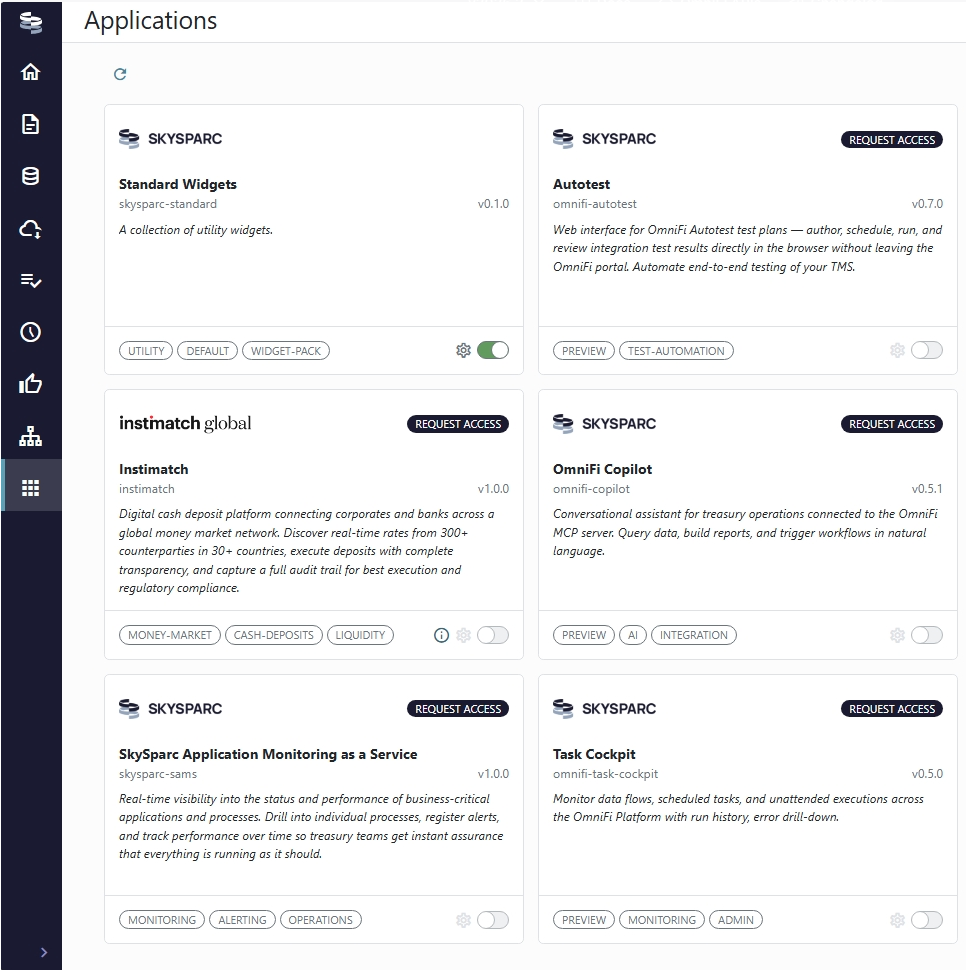
OmniFi v2026.2 introduced Applications — a new way to extend the platform with purpose-built tools that sit directly inside OmniFi, built around your workflows and deployed on your timeline.
Applications cover treasury-specific workflows like cashflow forecasting, reconciliation, and subsidiary deal requests — each with its own interface, logic, and storage, fully integrated into OmniFi.
Applications deploy independently of your core OmniFi version, so your team can access new functionality without waiting for a platform upgrade.
Your OmniFi home screen is now fully configurable — place and resize widgets to reflect exactly what matters most to your operation.
OmniFi's MCP Server is an open and agnostic framework. Claude, OpenAI, Gemini, Copilot, Cursor and others support it natively. For models that do not yet have native MCP support, middleware can bridge the connection. Native MCP support across AI models is growing rapidly.
The MCP Server is available to all clients on OmniFi v2026.3 and above.
Yes. OmniFi v2026.3 includes a secure tunnel that allows on-premise installations to communicate with cloud AI models without compromising your data boundaries.
Applications are available from OmniFi v2026.2. Once on that version, new applications can be onboarded independently — no further platform upgrade required each time.
Get in touch with your SkySparc contact or click on "Book a demo" below to request a demo. We will walk you through both releases in the context of your setup.
Speak to the OmniFi team about what these releases mean for your setup.